Best vulnerability scanning tools for CI/CD pipelines: 8 platforms compared
January 6th, 2026
Ben Nettleton
Vulnerability scanning tools are automated platforms that analyze applications, infrastructure, and dependencies to identify security flaws before attackers exploit them.
Unlike manual security reviews that happen once before release, these tools continuously scan code, containers, APIs, and cloud configurations to catch vulnerabilities introduced through new features, dependency updates, or infrastructure changes.
If you’ve ever shipped code only to discover critical vulnerabilities and exposures (CVEs) in a library you’ve used for months, or watched a security audit surface dozens of SQL injection risks that never appeared in code review, you understand why scanning moved from periodic security exercises to a continuous development workflow. Teams adopt these tools because finding vulnerabilities in development costs hours to fix, while finding them in production costs incident response, customer trust, and regulatory scrutiny.
The four main scanning approaches—SAST for source code, DAST for running applications, SCA for open source dependencies, and infrastructure scanning for cloud misconfigurations
Detailed comparisons of eight vulnerability scanning platforms: what each tool scans, how they integrate into development workflows, and which teams they fit best
How to evaluate scanners based on false positive rates, remediation guidance quality, and actual developer adoption instead of marketing claims
Practical integration strategies for adding vulnerability scanning to CI/CD pipelines without blocking deployments or training developers to ignore security alerts
What are vulnerability scanning tools, and why do development teams use them?
You ship a feature on Friday. Monday morning, a security researcher posts a proof-of-concept exploit for a library you’ve been using for two years. Now you’re racing to patch production before someone weaponizes it.
Vulnerability scanning tools exist to catch these problems before they become Monday morning emergencies.
Why manual security reviews don’t scale
A security engineer might catch an SQL injection vulnerability during code review. They won’t catch the same pattern appearing in 47 different database queries across a microservices architecture. Scanners find repetitive flaws that humans miss through volume, and they find them fast enough to matter during active development.
Why scanning alone doesn’t equal security
Scanners find potential vulnerabilities. They don’t understand your application’s actual attack surface, your data sensitivity, or whether a theoretical code injection risk actually reaches user-controlled input.
A scanner might flag 200 medium-severity findings, but if 190 exist in admin-only code paths behind hardware token authentication, the practical risk differs dramatically from the CVSS score. Teams treating scanner output as gospel drown in false positives while missing the authentication bypass in their public API.
The middle path
Use scanners as a first filter that security and development review together—this will catch both obvious flaws and contextual risks. Finding a vulnerability during development takes one developer an hour to fix. Finding it after exploitation takes your entire team days to patch, weeks to investigate, months to handle breach notification, and years to rebuild customer trust.
Types of vulnerability scanning: SAST, DAST, SCA, and infrastructure scanning
SAST: Static application security testing
SAST tools analyze source code without running it. They parse your codebase looking for patterns that typically lead to vulnerabilities: SQL queries concatenating user input, deserialization of untrusted data, hardcoded credentials, and path traversal risks.
What SAST catches: Code-level flaws like injection vulnerabilities, buffer overflows, insecure cryptography, and authentication bypass conditions. These tools find problems before code reaches production.
What SAST misses: Runtime behavior, configuration issues, business logic flaws, and vulnerabilities in compiled dependencies. A SAST tool won’t catch that your authentication middleware fails open under load.
The tradeoff: SAST tools flag potential vulnerabilities based on code patterns, not actual exploitability. Teams adopting SAST without tuning could spend more time triaging false positives than fixing real issues.
DAST: Dynamic application security testing
DAST tools test running applications like an attacker would. They send malicious payloads to APIs, manipulate form inputs, fuzz parameters, and observe how the application responds. No source code required.
What DAST catches: Runtime vulnerabilities like authentication failures, session management flaws, server misconfigurations, and API security gaps. These tools find issues that only appear when code actually executes.
What DAST misses: Anything requiring code structure understanding. DAST won’t find hardcoded encryption keys, unsafe deserialization in libraries, or dead code paths with security flaws.
The tradeoff: DAST effectiveness depends on how thoroughly the scanner maps your application. Single-page apps with complex JavaScript routing or APIs requiring specific authentication flows often get missed entirely.
SCA: Software composition analysis
SCA tools inventory your open source dependencies and flag known vulnerabilities. They analyze package manifests, lock files, and container images to identify every library version you’re using, then cross-reference against vulnerability databases.
What SCA catches:Known CVEs in third-party packages, outdated dependencies with available patches, license compliance issues, and transitive dependencies you didn’t realize you were pulling in.
What SCA misses: Vulnerabilities in proprietary code, misuse of secure libraries, and zero-day exploits not yet published to vulnerability databases.
The tradeoff: Not every CVE matters equally to your application. Your backend might use a library with a critical XSS vulnerability in its admin UI component—except you’re not using that component. SCA flags it anyway because the vulnerable code exists in your dependency tree.
Infrastructure scanning
Infrastructure scanners analyze cloud configurations, container images, Kubernetes manifests, and infrastructure-as-code templates for security misconfigurations. They catch S3 buckets open to the public, overly permissive IAM roles, unencrypted databases, and containers running as root.
What infrastructure scanning catches: Configuration drift, overly permissive access controls, unpatched base images, secrets committed to repositories, and compliance violations in cloud resources.
What infrastructure scanning misses: Application-layer vulnerabilities, business logic flaws, and issues emerging from how services interact rather than how they’re configured individually.
The tradeoff: These tools matter more as teams adopt containers and infrastructure-as-code. Traditional VM-based deployments with manual configuration don’t generate the machine-readable manifests that infrastructure scanners analyze.
Misconfigured S3 buckets, overly permissive IAM roles, unencrypted databases, containers running as root, secrets in repos
Application-layer vulnerabilities, business logic flaws, issues from service interactions vs. individual configurations
Requires cloud-native architecture and machine-readable configs—less relevant for traditional VM deployments
Which scanning types do you actually need?
Most teams don’t need all four types immediately. Start with SCA, it requires minimal setup, catches real vulnerabilities in dependencies, and integrates easily. Add SAST if you’re writing custom code with user input handling or authentication logic. Consider DAST when you have complex runtime behavior that static analysis won’t catch. Add infrastructure scanning when you’re deploying to cloud environments or using containers.
8 best vulnerability scanning tools compared
The vulnerability scanning market splits into specialized tools that do one thing well and platforms that try to cover everything.
Most teams end up with multiple scanners because no single tool catches every vulnerability type across every language and deployment target. Here’s what each platform actually does, where it excels, and where you’ll need something else.
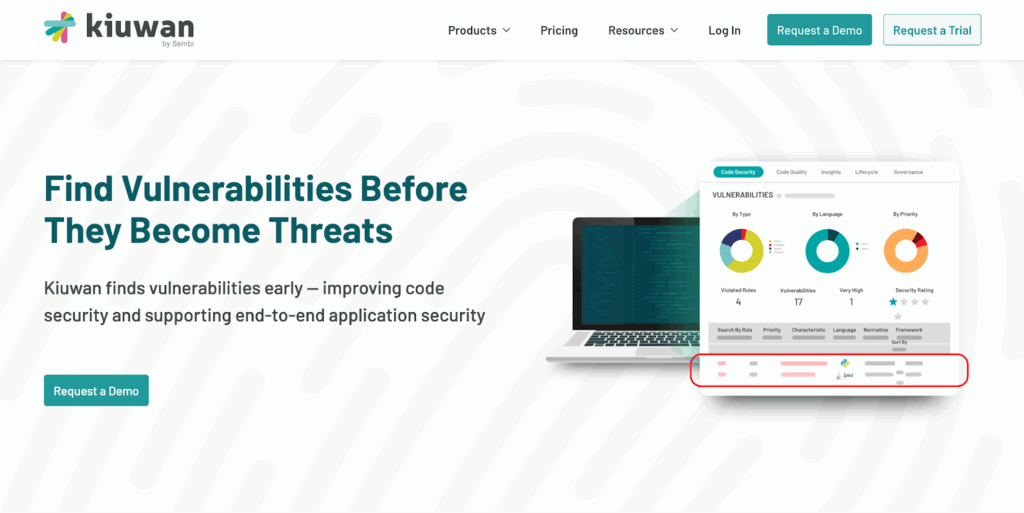
What sets it apart: Deep language support across 30+ programming languages with context-aware analysis that understands framework-specific security patterns. The platform doesn’t just flag generic SQL injection—it understands how parameterized queries work in Spring, Django, or Rails and adjusts findings accordingly.
Where it fits: Development teams needing both proprietary code analysis and dependency scanning without stitching together separate tools. The CI/CD integration lets you set policy gates that block builds on critical findings while allowing lower-severity issues through with tickets created automatically.
The remediation angle: Kiuwan provides code-level guidance showing exactly where the vulnerability exists and how to fix it, not just CVE numbers. Developers get actionable next steps in the same pull request where they’re already working.
Limitations: Focuses on SAST and SCA—you’ll need separate tools for DAST or infrastructure scanning. Best suited for teams writing custom applications rather than primarily configuring SaaS products.
Snyk: Developer-first security for open source and containers
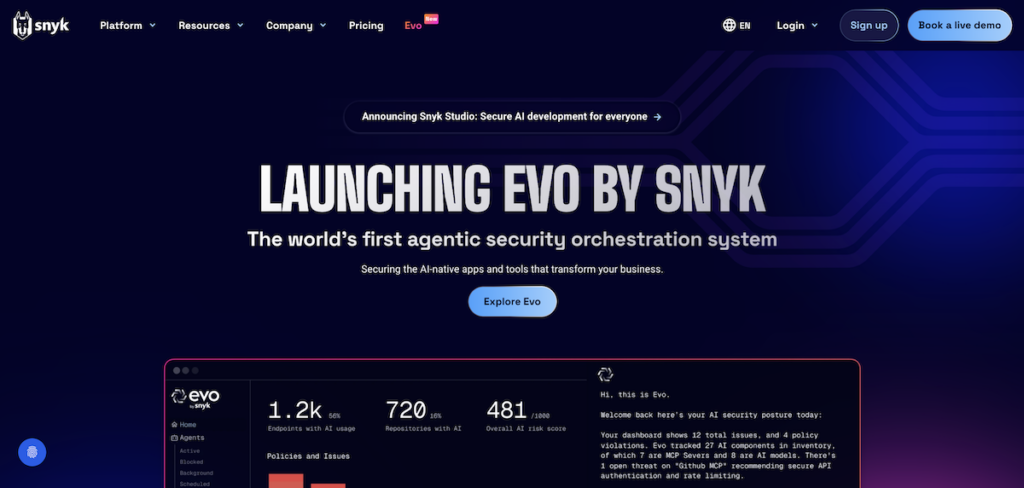
Snyk built its reputation on making security scanning feel like a natural part of the development workflow rather than a compliance checkbox. The platform scans open source dependencies, container images, and infrastructure-as-code with integrations that meet developers where they already work.
What sets it apart: Automatic pull requests that fix vulnerable dependencies by upgrading to patched versions. Instead of just flagging a problem, Snyk proposes the solution and lets you merge the fix with one click.
Where it fits: Teams heavily invested in open source with containerized deployments. The tool excels at dependency management and container security, with particularly strong support for JavaScript, Python, and Java ecosystems.
The developer experience: Inline IDE warnings, GitHub comments on pull requests, and Slack notifications that don’t feel like security theater. The interface assumes developers will fix issues themselves rather than requiring security team mediation.
Limitations: SAST capabilities exist but lag behind dedicated static analysis tools. Teams needing deep proprietary code analysis typically pair Snyk with a SAST-focused platform.
Checkmarx: Enterprise SAST with detailed remediation guidance
Checkmarx focuses on comprehensive static analysis for large codebases with complex security requirements. The platform targets enterprise teams managing multiple applications across different technology stacks.
What sets it apart: Deep dataflow analysis that traces how user input moves through your application to identify exploitable paths. The tool doesn’t just find a potential SQL injection—it shows you the exact route from user input to database query.
Where it fits: Regulated industries with stringent security requirements and large engineering teams needing centralized visibility. Banks, healthcare providers, and government contractors building mission-critical applications.
The enterprise angle: Detailed policy engines, audit trails, compliance reporting, and role-based access controls that security leadership needs. The platform assumes a dedicated security team will review findings rather than developers handling all results themselves.
Limitations: Steeper learning curve and longer scan times compared to lighter-weight tools. Setup and tuning require security expertise—not a tool you install Friday and ship results Monday.
Veracode: Application security testing platform
Veracode offers SAST, DAST, and SCA through a unified platform with policy-based scanning that adapts to your risk tolerance and compliance requirements.
What sets it apart: Combines multiple scanning types under one vendor with centralized reporting and policy management. Teams get a single dashboard showing static analysis results alongside dynamic testing and dependency vulnerabilities.
Where it fits: Organizations wanting to consolidate vendors and get consistent results across scanning types. The platform suits teams where security and compliance requirements demand documented testing at multiple layers.
The managed service component: Veracode offers professional services, including manual penetration testing that complements automated scanning. This hybrid approach catches issues that automation misses.
Limitations: Higher price point reflects the platform breadth. Teams only needing one scanning type often find specialized tools more cost-effective.
SonarQube: Code quality and security in one tool
SonarQube started as a code quality platform and added security scanning as teams realized many code smells indicated security risks. The tool analyzes code for bugs, code smells, and vulnerabilities through the same analysis engine.
What sets it apart: Integrates security into quality gates that developers already use. Teams accustomed to enforcing code coverage or complexity metrics extend the same workflow to security findings.
Where it fits: Development teams prioritizing code quality with security as a component rather than security teams trying to bolt quality onto vulnerability management. The approach works when developers own both quality and security.
The open source option: Community edition provides free SAST for many languages, making it accessible for startups and open source projects. Commercial editions add more languages and enterprise features.
Limitations: SCA capabilities exist but feel like an add-on rather than a core strength. Infrastructure and dynamic scanning require separate tools entirely.
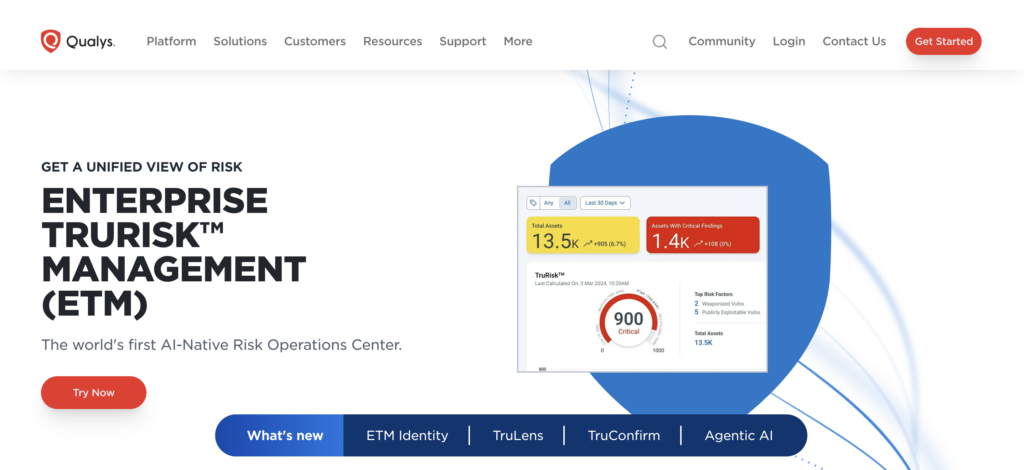
Qualys: Infrastructure and web application scanning
Qualys built its platform on network vulnerability scanning and expanded into web application security. The tool excels at finding infrastructure misconfigurations and perimeter security issues.
What sets it apart: Comprehensive asset discovery and vulnerability assessment across networks, servers, and web applications from a single platform. The tool answers “what do we have and what’s vulnerable” at infrastructure scale.
Where it fits: Operations and security teams managing large infrastructure footprints. The platform suits organizations where infrastructure security matters as much as application security.
The compliance strength: Built-in compliance scanning for PCI DSS, HIPAA, SOC 2, and other frameworks that rely heavily on infrastructure controls. Reports map directly to compliance requirements.
Limitations: Developer-facing features lag behind tools built specifically for development workflows. Better suited for security and ops teams than for developers shipping code.
Aqua Security: Container and cloud-native security
Aqua specializes in securing containerized applications and cloud-native architectures. The platform scans container images, Kubernetes configurations, and serverless functions for vulnerabilities and misconfigurations.
What sets it apart: Deep understanding of container-specific risks like privilege escalation through container escape, secrets in image layers, and runtime behavior that diverges from expected patterns.
Where it fits: Teams running Kubernetes, Docker, or serverless architectures where traditional scanning tools miss container-specific security issues. The platform integrates into container registries and CI/CD pipelines deploying to cloud environments.
The runtime protection: Goes beyond scanning to provide runtime security controls that prevent exploitation even when vulnerabilities exist. This defense-in-depth approach matters for internet-facing containers.
Limitations: Focused exclusively on cloud-native—not useful for traditional monolithic applications or VM-based deployments. Teams need other tools for non-containerized code.
ZAP: Open-source DAST for web applications
ZAP (Zed Attack Proxy) provides dynamic application security testing without licensing costs. The tool actively probes running web applications to find security vulnerabilities.
What sets it apart: Completely free, open source, and backed by a large security community. No vendor lock-in, no per-application licensing, no sales calls.
Where it fits: Teams needing DAST capabilities without a budget for commercial tools, or security professionals wanting full control over scanning logic and extensibility through custom scripts.
The learning curve: Requires more security expertise to configure and tune compared to commercial alternatives. Best results come from security engineers who understand web application vulnerabilities, not from developers running default scans.
Limitations: Manual effort for tuning, authentication configuration, and result interpretation. Commercial DAST tools provide more automation and developer-friendly reporting at the cost of licensing fees.
Tool
Primary Focus
Scanning Types
Best For
Integration Strength
Limitations
Kiuwan
Code quality & Code analysis + open source dependencies
SAST, SCA
Teams needing both proprietary code and dependency scanning with deep language support
CI/CD pipelines, pull request comments, and automatic ticket creation
No DAST or infrastructure scanning
Snyk
Open source + containers
SCA, Container, IaC
Developer-first teams heavily using open source and containers
IDE plugins, GitHub integration, automatic fix PRs
SAST capabilities lag specialized tools
Checkmarx
Enterprise static analysis
SAST
Large enterprises with complex security requirements and dedicated security teams
Centralized policy management, audit trails
Longer scan times, steeper learning curve
Veracode
Multi-layer platform
SAST, DAST, SCA
Organizations consolidating vendors for consistent scanning across types
Unified reporting, policy-based scanning
Higher cost for platform breadth
SonarQube
Code quality + security
SAST, limited SCA
Development teams integrating security into existing quality gates
Quality gate workflows that developers already use
SCA feels like an add-on, no DAST/infrastructure
Qualys
Infrastructure + web apps
Infrastructure, web app scanning
Ops/security teams managing large infrastructure footprints
Security teams wanting free, customizable dynamic scanning
Scriptable, extensible, no vendor lock-in
Requires security expertise, manual tuning
How to choose the right vulnerability scanner for your team
Start with what you’re actually building.
Teams writing custom applications need SAST. Teams assembling open source components need SCA. Teams running containers need infrastructure scanning. Teams with public-facing APIs need DAST.
Evaluate based on workflow friction. A scanner that finds 50% more vulnerabilities but takes three days to configure and blocks your pipeline isn’t better than one that finds fewer issues but that developers actually use. Check whether the tool comments on pull requests, integrates with your ticketing system, and provides fixes developers can apply without translation.
Test false positive rates with your actual codebase. Request a trial, run it against your code, and count how many findings require investigation versus immediate action. If you’re spending more time closing false positives than fixing real vulnerabilities, the tool costs more than it saves.
Consider remediation guidance quality. “SQL injection found in user_controller.rb line 47” with no context wastes developer time. “User input from params[:search] flows unsanitized to SQL query—use parameterized queries or ActiveRecord methods” gets fixed in minutes.
Plan for multiple tools eventually. No single scanner covers everything. Start with the scanning type that matches your biggest risk, then add complementary tools as your security program matures. Teams typically adopt SCA first, add SAST within six months, and add DAST or infrastructure scanning based on architecture.
Integrating vulnerability scanning into CI/CD without breaking builds
Effective CI/CD scanning catches serious security issues automatically without turning your pipeline into a bottleneck.
Scanners that block every build on medium-severity findings train developers to bypass security checks entirely.
Set realistic policy gates. Block builds on critical and high-severity findings in user-facing code. Create tickets for medium-severity issues. Log low-severity findings for periodic review. Your policy should reflect actual risk, not theoretical CVSS scores that treat admin panel XSS the same as public API injection.
Fail fast on new vulnerabilities, not old ones. Inheriting a codebase with 200 existing findings? Don’t block every build until they’re fixed. Configure your scanner to fail only on net-new vulnerabilities introduced in the current pull request. This prevents adding to security debt without halting all development.
Provide context that developers can act on immediately.Kiuwan’s CI/CD integration shows vulnerability details directly in pull request comments with code-level remediation guidance. Developers see what’s wrong, where the issue exists, and how to fix the problem—without leaving GitHub or switching to a separate security dashboard.
Start with one scanning type, expand deliberately. Begin with SCA if you’re using open source dependencies—minimal configuration required and catches real CVEs immediately. Add SAST once your team understands the workflow and can tune findings. Layer in additional scanning types as your security program matures, not because a vendor pitch deck said you need everything at once.
Measure adoption, not just vulnerabilities found. Track how many findings developers fix within the sprint versus how many get closed as false positives or ignored. If your acceptance rate drops below 60%, your scanner needs tuning or your policies need adjusting. The best scanner remains the one your team actually uses.
Ready to see vulnerability scanning developers actually use?
Start your free Kiuwan trial and experience how SAST and SCA findings integrate directly into your pull requests with actionable fixes, clear priorities, and no context switching required.
Get Your FREE Demo of Kiuwan Application Security Today!
Identify and remediate vulnerabilities with fast and efficient scanning and reporting. We are compliant with all security standards and offer tailored packages to mitigate your cyber risk within the SDLC.
TL;DR Software composition analysis (SCA) tools help teams identify vulnerable and outdated open-source components, manage license risk, generate SBOMs, and secure the software supply chain without slowing delivery. In this…
We’re announcing a new native integration between Kiuwan and TestRail that brings security and quality into the same workflow. With this release, Kiuwan users can push Static Application Security Testing…
Understanding and tracking security data breaches Security data breaches are one of the biggest challenges organizations face today. Every year, companies deal with data leaks, ransomware attacks, or unauthorized access…