Cyber threats constantly evolve, and software vulnerabilities can lead to severe consequences, including data breaches, financial losses, and reputational damage. Strengthening your security posture requires the right combination of automated tools, manual security testing, and secure coding practices. By understanding how different application security tools work—and how they integrate into your development process—you can better protect sensitive data, streamline remediation efforts, and build more secure software across web apps, mobile devices, and enterprise systems.
The Best Application Security Tools
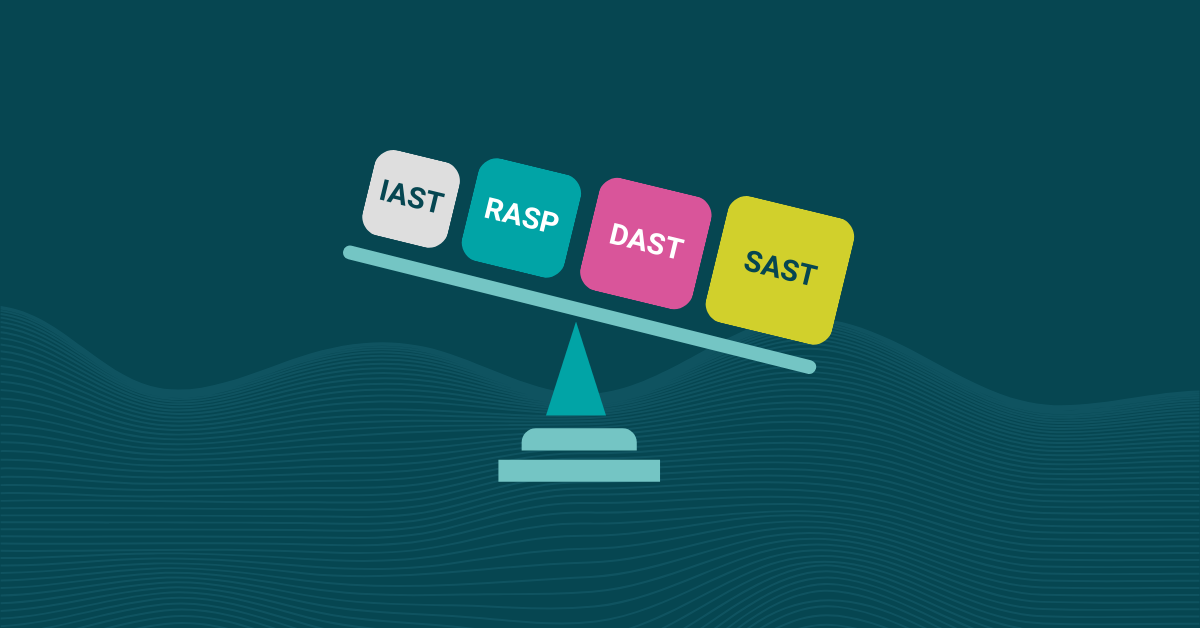
Application security testing tools come in various forms, each designed to uncover different types of security flaws. Most organizations use a mix of automated tools and manual testing methods to ensure complete coverage across their applications.
Static Application Security Testing (SAST)
Static application security testing tools analyze source code, bytecode, or binary code without executing it. SAST is especially valuable early in the development process because it helps developers identify security flaws, enforce secure code standards, and reduce false positives before code reaches production.
By integrating SAST into your workflow, security teams can catch potential vulnerabilities early, improve remediation efforts, and prevent costly fixes later in the lifecycle.
Dynamic Application Security Testing (DAST)
This type of application security software tests the application in its running state to identify vulnerabilities by simulating attacks. Unlike SAST, DAST tools do not require access to the source code, which makes them ideal for identifying runtime vulnerabilities in web apps and APIs that are not visible in static analysis.
DAST is particularly useful for assessing the security of web applications because it can detect issues such as SQL injection, cross-site scripting (XSS), and other common attack vectors. Examples of DAST tools include web application scanners, fuzzers, and penetration testing tools that complement both automated tools and manual testing approaches.
Interactive Application Security Testing (IAST)
Interactive application security testing (IAST) blends SAST and DAST by analyzing applications from the inside as they run. IAST tools provide highly contextual vulnerability reports, making it easier to understand root causes and prioritize remediation efforts.
By running inside the application, IAST can reduce false positives, improve accuracy, and give both developers and security teams actionable guidance as part of their normal development process.
Software Composition Analysis (SCA)
Another method of software application security testing is Software composition analysis (SCA). This tool identifies and manages vulnerabilities in open-source and third-party application components. Given the widespread use of open-source software, ensuring these dependencies are secure and up-to-date should always be a part of your development process.
SCA tools scan the codebase for known vulnerabilities in third-party libraries and provide recommendations for remediation efforts. This proactive approach helps mitigate risks from external libraries to keep your application secure. Dependency checkers and vulnerability management tools for open-source software are types of SCA tools that support enterprise security.
Runtime Application Self-Protection (RASP)
Runtime application self-protection (RASP) tools monitor and protect applications in real-time by detecting and blocking attacks as they occur. By embedding security within the application, RASP tools can provide immediate protection against exploits and improve security for applications in production environments.
These application security tools continuously monitor application behavior and identify suspicious activities that could indicate an attack. They can include embedded security agents and runtime protection modules, offering an additional defense layer against potential threats.
Code Review Tools
Developers use code review tools to facilitate manual review, identify security issues, and enforce coding standards. While automated testing tools are essential, incorporating human judgment and expertise through code reviews is equally important.
Code review tools help ensure that secure coding practices are followed and potential vulnerabilities are addressed before exploitation. They also promote collaboration among development teams and foster a culture of security awareness and continuous improvement.
Code Obfuscation and App Hardening
Code obfuscation is a tool that makes code more difficult to understand for anyone who might try to reverse-engineer it, which protects intellectual property and sensitive logic. App hardening goes a step further by incorporating security measures to protect applications from tampering, debugging, and other forms of attack.
By implementing code obfuscation tools such as PreEmptive, you can transform your code into a format that is still executable but much harder for an attacker to interpret. This process can include renaming variables and functions to meaningless characters, removing metadata, and adding redundant code or control flow changes that confuse decompilers.
App hardening techniques include embedding anti-tampering mechanisms, anti-debugging techniques, and runtime integrity checks. These measures can detect and respond to unauthorized attempts to modify or analyze your application, thus providing an additional layer of defense for web apps and mobile devices.
How to Choose the Right Application Security Testing Tools
Choosing the right application security testing tools depends on your application types and your overall security strategy. Different tools offer different strengths:
- Web apps: Benefit from a combination of SAST, DAST, and SCA.
- Mobile apps: May require app hardening and obfuscation to protect sensitive data on devices.
- APIs and microservices: Often need API-specific testing, runtime analysis, and continuous monitoring.
Building a layered security testing strategy ensures that each type of vulnerability is caught at the right stage. For example, SAST catches coding issues early, while DAST identifies runtime flaws, and IAST provides context during testing.
Integration with your CI/CD pipeline is also an important consideration. Tools should support automation while fitting naturally into your existing development workflows. Before adding new tools, evaluate whether optimizing your current security testing stack, such as tuning rules or consolidating findings across your application security platform, may provide better results.
As your organization grows, ensure the tools you choose can scale with your needs and support your security teams effectively.
Overcoming Common Challenges When Implementing Application Security Tools
Implementing application security tools can come with challenges. One common issue is managing false positives, which can overwhelm developers and waste time. Tuning automated tools, adjusting rules, and prioritizing based on exploitability can help reduce noise without missing genuine vulnerabilities.
Developer resistance is another challenge. If tools slow down workflows or produce excessive alerts, developers may be reluctant to engage. Providing integrated tooling, training on secure code practices, and clear remediation steps can help address concerns.
Small teams may struggle with resource allocation for manual testing and security reviews, while larger teams may face coordination challenges across distributed applications and enterprise security environments.
Balancing security thoroughness with development velocity is also crucial. Some teams use lighter scans for frequent releases and deeper scans for major updates. Different tool types also come with different learning curves, so training requirements should be part of your implementation plan.
Finally, tuning automated tools and setting clear policies ensures that results are accurate, actionable, and aligned with your organization’s risk tolerance.
Application Security Testing ROI
Investing in application security tools can save organizations significant costs in the long run. The financial impact of a data breach often exceeds the investment required for modern security tooling and secure software practices.
When evaluating ROI, consider not only the cost of the tools themselves but also the time required for setup, maintenance, and vulnerability remediation. Automated tools help catch vulnerabilities early in the development process, when they are easier and cheaper to fix.
Measuring effectiveness through metrics such as vulnerability reduction, remediation speed, and scan coverage provides executives with insights into the value of the security program. Compliance requirements also play a key role, as many standards require documented remediation efforts and secure development processes.
Investing in security also builds customer trust and may reduce cyber insurance premiums, as insurers often look for strong security controls and mature development practices.
How Kiuwan Can Help
Kiuwan offers a powerful and reliable suite of application security tools to cover every aspect of your software development lifecycle. With Kiuwan, you can perform static and dynamic analysis, manage open-source vulnerabilities, and continuously monitor your applications for security threats.
Kiuwan’s static analysis capabilities help you identify and fix vulnerabilities in your codebase before they become problematic by integrating seamlessly with your development tools and processes.
Moreover, Kiuwan’s software composition analysis (SCA) ensures that all third-party components are secure and up-to-date to reduce risks from external libraries. Its continuous monitoring provides real-time insights into your application’s security posture, allowing you to respond quickly to new threats.
Kiuwan can help you strengthen your security posture, streamline your remediation efforts, and protect your applications against evolving cyber threats. Start your free trial to experience the full power of Kiuwan’s application security tools.
FAQ
What’s the difference between automated tools and manual security testing in application security?
Automated tools scan code and applications systematically to identify known vulnerabilities at scale, making them essential for continuous security testing throughout the development lifecycle. Manual security testing involves human security experts who apply creative thinking and contextual knowledge to uncover complex vulnerabilities that automated scanners miss, such as business logic flaws or sophisticated attack chains. The most effective application security programs use both approaches. Automated tools provide speed and consistency for routine checks, while manual testing adds the human intelligence needed to catch nuanced security issues that require understanding of application context and attacker mindset.
How does security posture improve when combining different application security testing methods?
Your security posture strengthens significantly when you layer multiple testing approaches. Static analysis catches vulnerabilities in source code before deployment, dynamic testing identifies runtime issues in live applications, interactive testing provides real-time context during QA, and software composition analysis monitors third-party dependencies for known vulnerabilities. This defense-in-depth strategy ensures comprehensive coverage across vulnerability types. SAST might catch a hardcoded credential while DAST discovers a SQL injection that only appears under certain runtime conditions. Organizations that integrate these complementary tools throughout their SDLC achieve more complete security coverage and faster remediation than those using isolated testing approaches.
Why do security findings from automated tools sometimes require manual validation?
Automated tools excel at identifying potential vulnerabilities quickly, but they generate false positives that waste remediation efforts and miss context-specific security risks requiring human judgment. A tool might flag input validation as insufficient without understanding that upstream security controls already sanitize that data, or it might overlook a critical business logic flaw because it doesn’t understand your application’s intended workflow. Security professionals use manual testing to validate automated findings, prioritize real threats based on business impact, and discover sophisticated vulnerabilities that fall outside the pattern-matching capabilities of scanners. This ensures teams focus remediation efforts on genuine security risks rather than chasing down tool artifacts.
What role do automated tools play in securing existing tools and legacy applications?
Automated security tools provide essential continuous monitoring for existing applications that weren’t built with modern security practices, helping identify newly discovered vulnerabilities in aging codebases or outdated dependencies. Software composition analysis tools scan legacy applications for vulnerable third-party libraries and alert you when new CVEs affect components you’re using. For organizations maintaining multiple legacy systems, automated scanning makes it feasible to regularly assess security posture across your entire application portfolio without requiring massive manual effort. Legacy applications often require careful tuning of automated tools to reduce noise and account for architectural patterns that modern scanners might misinterpret.
How can organizations improve their security posture without disrupting development workflows?
Integrate automated tools directly into CI/CD pipelines so security testing happens automatically as part of your existing development process. Modern application security platforms provide APIs and plugins that fit naturally into your toolchain. Static analysis runs on code commits, composition analysis checks dependencies during builds, and dynamic scanning tests in staging environments before production deployment. This shift-left approach catches vulnerabilities early when they’re cheapest to fix, while automated findings with clear remediation guidance empower developers to address security issues themselves. Combined with periodic manual security testing for deeper analysis, this integrated approach strengthens security posture while improving development velocity by catching issues before they become costly production incidents.